Meshtastic is a decentralised, wireless mesh network utilising long range (LoRa) radio waves.
Meshtastic operates on low cost, low power devices using unlicensed radio bands. Devices can send encrypted text messages up to 200 characters in length. GPS-enabled devices can also opt to share their location. Meshtastic devices can be configured and paired with a smartphone app available on iOS and Android, offering users an experience not too different to conventional instant-messaging apps.
Meshtastic devices can use the broader public mesh to relay AES256 encrypted messages to a private channel or direct message other devices. Users can configure their own completely private networks, using only their own nodes to create an entirely decentralized, wireless, encrypted mesh network. There’s also a Python API which might enable to some interesting implementations.
I first came across Meshtastic after hearing it being discussed as a potential communication method for protesters who may be hesitant to use traditional mobile networks for communications for fear of ‘stingray’ devices and other surveillance measures. Stingrays can be used to capture metadata, intercept messages, or even inject data. These devices can be used to infer an individual’s presence at a protest, or cause connectivity issues among protesters by jamming cellular networks.
More broadly, some common use cases for Meshtastic include:
- Emergencies or natural disaster scenarios where other communications infrastructure has failed or is unreliable.
- General outdoors usage, particularly in wilderness areas.
- Off-grid or remote communities.
- Search and rescue teams.
Meshtastic is relatively simple to use, meaning even those with limited technical skills can configure it for basic use, although there are no shortage of options for power users. The developers have made it dead simple to flash Meshtastic devices, while the the physical radios themselves range from simple pocket-size ready to use devices, to DIY kits, to slick boutique devices created by niche brands, to solar nodes, all the way to industrial-spec radio masts installed on mountain tops.
I was intrigued by the idea of being able to wirelessly send encrypted text-based messages peer-to-peer, without the need for mobile data or WiFi access. Of course I had to see what the fuss was about and pick up a couple Meshtastic devices to play around with.
Meshtastic nodes
Meshtastic nodes are purchased from common marketplaces like eBay, AliExpress and a range of other dedicated retailers from around $40 AUD and up. While it can certainly be done quite cheaply, I would anticipate spending more like $70 for a GPS-enabled device with a more power efficient chipset like the nRF52. I purchased two devices, so I could do some testing and send myself messages. I settled on the SenseCAP T1000E and a Heltec T114, pictured on the left and right respectively. Both devices are quite small - not much taller than a standard Bic lighter.
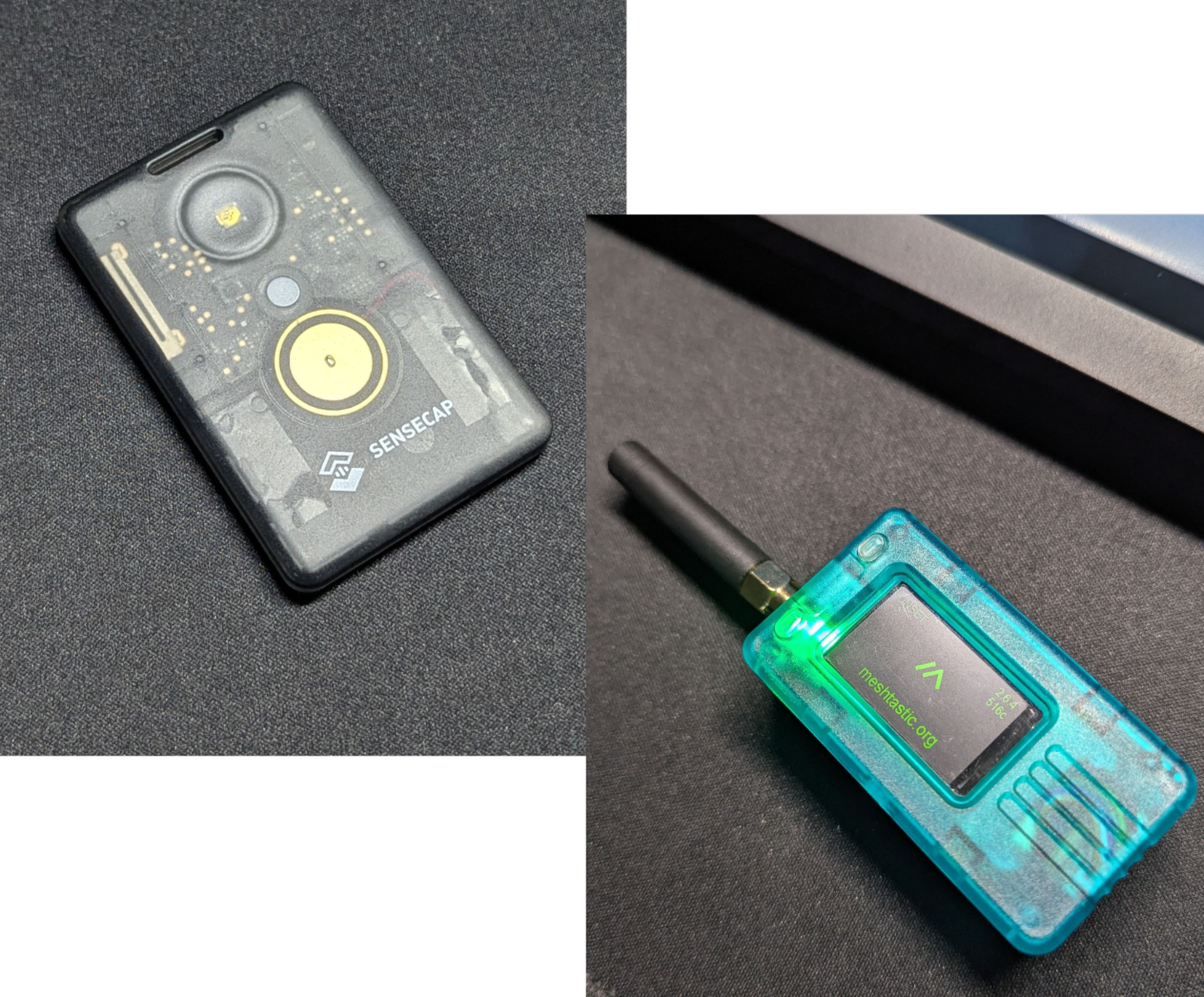
The T1000E is an an all-in-one device, a similar size to a few credit cards stacked up. Given it’s form factor, and IP65 dust/waterproof rating it seemed like it would be neat for ‘EDC’. The most obvious drawback is a reduced range compared to other nodes, due to having a smaller internal antenna.
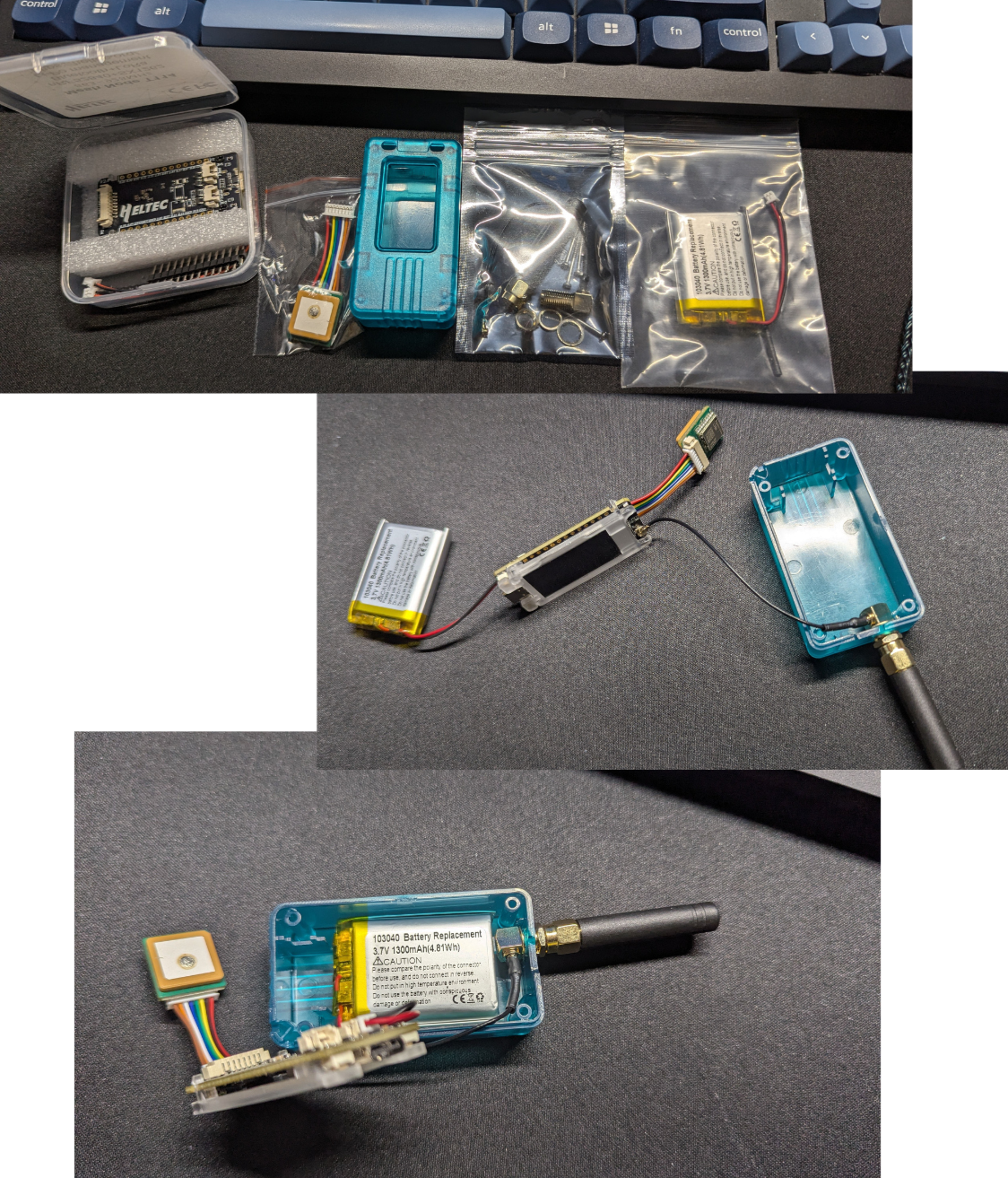
The Heltec T114 is technically just a chipset but is commonly sold in a kit with a case, a small antenna and a GPS module. I picked it up in this standard combo and also grabbed a battery from eBay. A 1300mAh ‘103040’ 3.7V battery fits into this case perfectly. There was a mild amount of DIY assembly required - mainly shaving away some of the plastic from the case to fit the antenna and cramming all the components into the case.
Configuring nodes
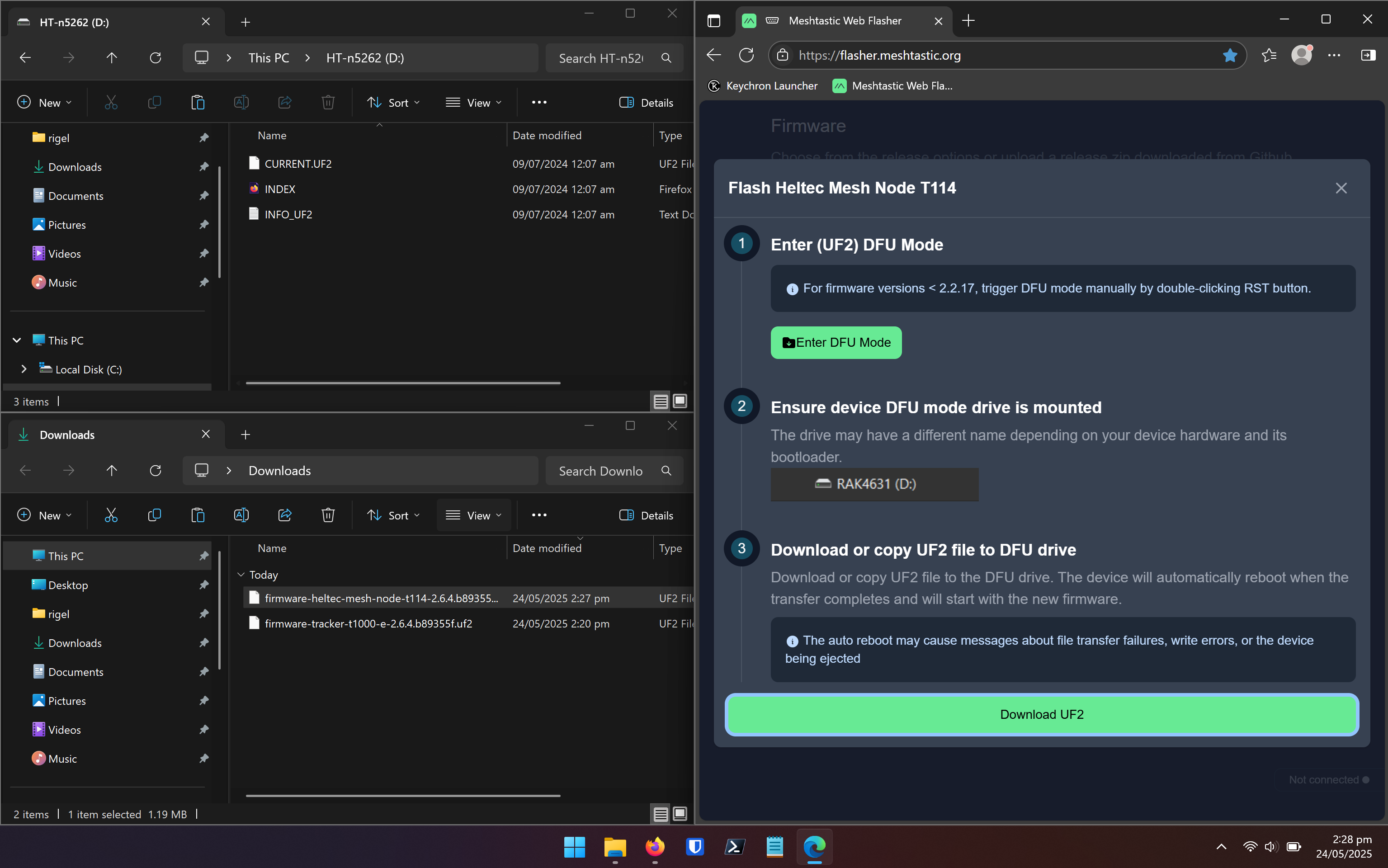
Many devices come pre-flashed, but flashing them yourself with the latest firmware using the web flasher is dead simple. This requires a web browser that supports WebUSB, like Chrome or Edge. Following the instructions from the web flasher, it’s more or less a matter of dragging and dropping the firmware onto it and letting the node reboot itself. A firmware update will wipe a node completely - be sure to back up your configuration before doing this if you’re upgrading an existing node.
I chose to pair the T1000E to my current smartphone, and the T114 to an older phone I had kicking around. Originally I intended to pair the T114 to my laptop using the web client, but I spent a long time mucking around and unfortunately kept running into irritating bugs with the web client GUI, where I was unable to save changes or even scroll through certain menu layers.
There are other devices like the Lilygo T-DECK or T-DECK Plus which have a built-in keyboard. You don’t need to use a smartphone app to send and receive messages with these, making them essentially a standalone Meshtastic device and the most ‘off grid’ solution (giving some serious cyberpunk energy too).
Channel configuration
Meshtastic supports direct messaging between nodes and also creating shared channels for multiple nodes. Over time, nodes broadcast signals that other nodes pick up. After a node detects another node, it can request to send that node a direct message. Once the other device does the same, they can exchange messages freely.
After creating the channel config for one device using the app, you can generate a QR code or URL to share selected channels with other nodes. Channels are encrypted with a pre-shared key (PSK), so only nodes that have the same PSK for a given channel can use it.
The channel config options are quite simple and looks like this.
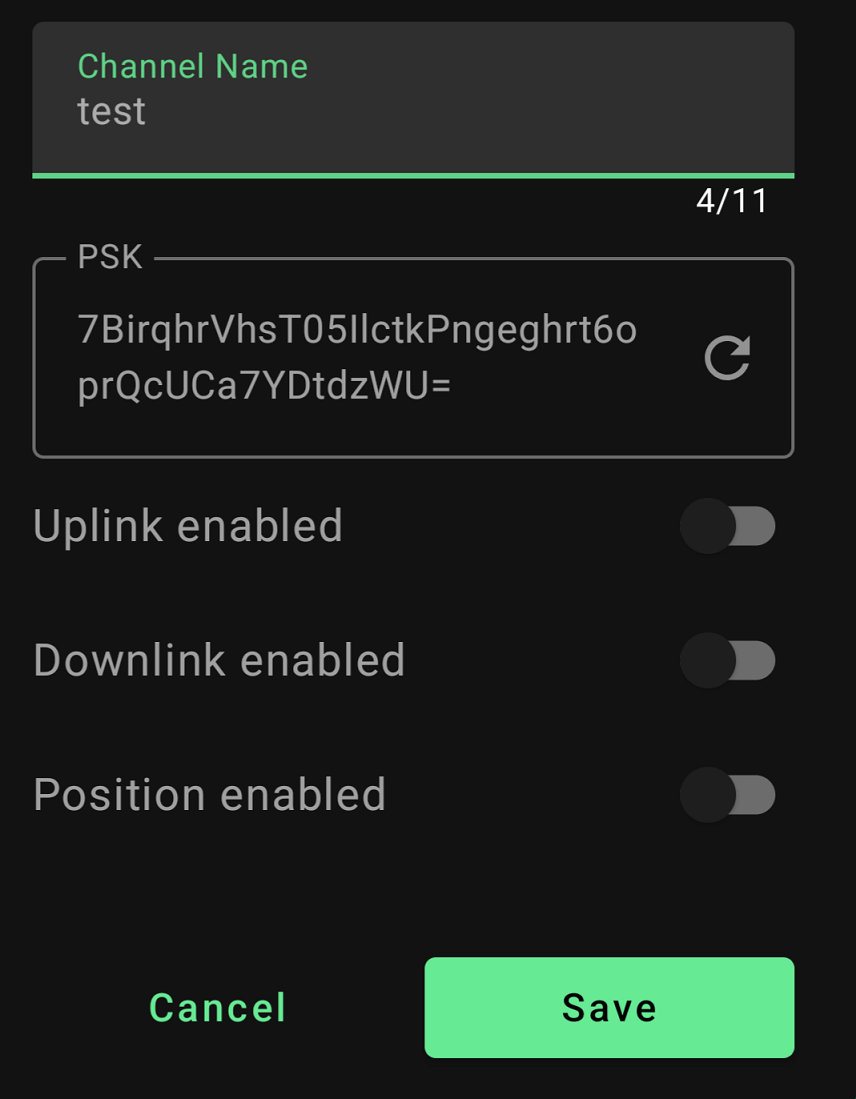
Meshtastic documentation also states that channel names need to match for two nodes to communicate, in addition to the PSK. I found this rather odd and initially assumed that this must be a documentation error - surely only the PSK for a given channel needs to match, right?? WRONG. I will touch on this later, but with certainty I can confirm in addition to a matching PSK, the channel name also needs to match in order to receive messages.
The default channel mode is LongFast, which refers to the intended transmission distance and speed. This Meshtastic blog outlines the capabilities of the various modes. Unless you have specific reason to try other channel types, it’s fine to leave this on LongFast.
The PRIMARY channel (index 0, number 1) is where your GPS updates will be broadcast.
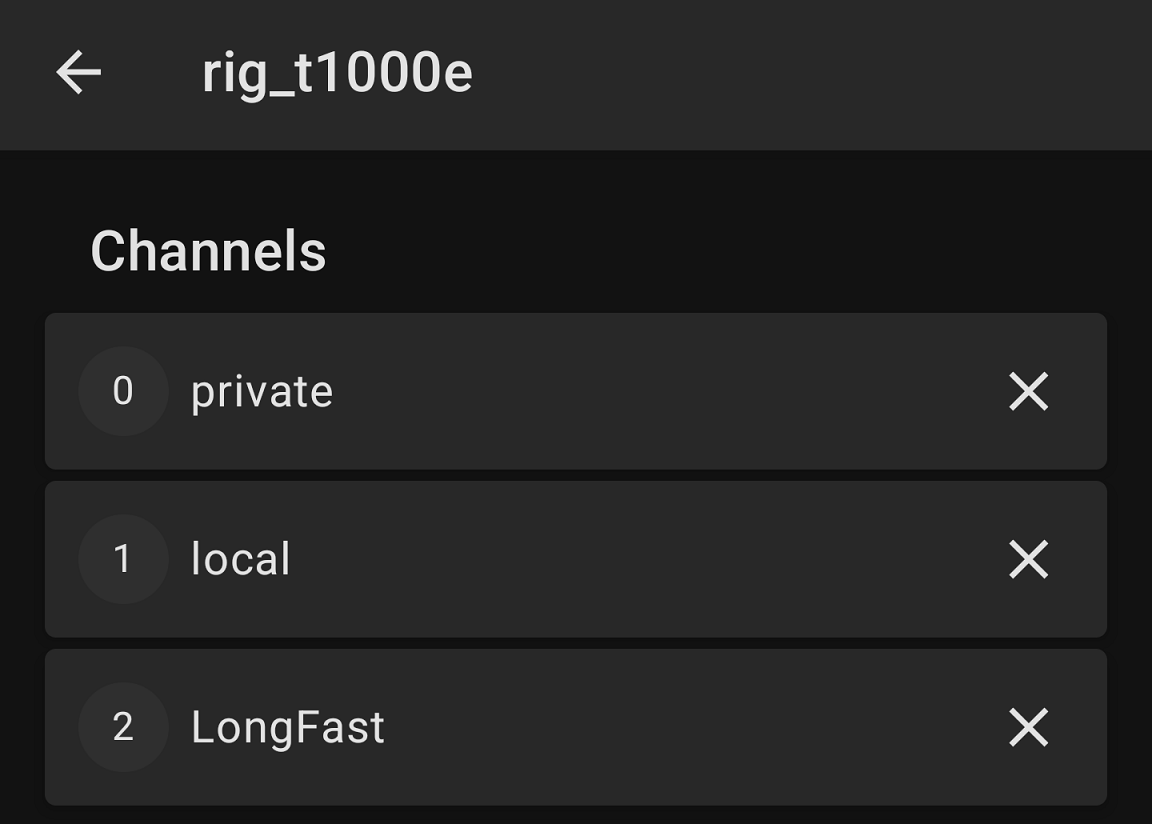
My channel config looks like this for now.
EDIT: 22 June 2026
After further testing, I have updated the channel configuration as per this post. The channel configuration detailed immediately below does not allow the node to identify other nodes in the broader public mesh (and vice versa).
Channel 0 - private
This channel becomes your PRIMARY channel. For my use case, I configured this channel to be a private mesh only for my two nodes, while still using the broader Meshtastic mesh to relay securely if needed.
- Uplink enabled
- Downlink enabled
- Position enabled
- Precise location enabled
Uplink refers to relaying messages from your own nodes to other Meshtastic users, so they can propagate through the network.
Downlink refers to receiving relayed messages from other Meshtastic users.
Position refers to the location data from your node being visible to other nodes in the channel. With this setting enabled, you have the option to obfuscate your true location by an offset radius you define, ranging from 23.3km to 45m.
Precise location overrides the preceeding setting and allows your exact location via GPS to be shared.
Channel 1 - local
All channels other than 0 and 1 become SECONDARY channels. With uplink and downlink disabled, this channel is effectively a private mesh between only your own nodes that are within range of each other. There is no use of the broader Meshtastic network. Private, encrypted, P2P comms!
- Uplink disabled
- Downlink disabled
- Position enabled
- Precise location enabled
Channel 2- ‘LongFast’ (Public)
With the default name of LongFast and a default PSK of AQ===, this is functionally a public channel for any Meshtastic user.
- Uplink enabled
- Downlink enabled
- Position disabled
Privacy related config considerations
There are a range of options available in the Device Config section of the Meshtastic for nodes. Both of my devices are configured to be in CLIENT mode, which is recommended for most generic uses. Devices in CLIENT mode will appear in the Meshtastic nodes list, meaning other nodes in your physical area can pick up their signal and identify that they exist. This mode will also rebroadcast packets from other devices in range.
If you want a simple internal/local mesh where you do not relay the messages of other Meshtastic users, but don’t mind your nodes being discovered, consider using CLIENT_MUTE. This setting explicitly prevents devices from forwarding packets from other devices. This could be used where you have multiple nodes in close proximity to one another and you only want specific nodes to relay messages.
If the primary objective of your mesh is privacy, set the device config to CLIENT_HIDDEN. These nodes will not appear in the nodes list that other Meshtastic users can identify. This setting also minimises the number of broadcasts a node does, in order to be more stealthy compared to a standard CLIENT config. This has the added benefit of saving battery power. It will only rebroadcast packets within it’s own local mesh (i.e. other nodes it shares a channel with).
For the paranoid, the CLIENT_HIDDEN setting using a node without a physical GPS module is likely the best solution for a completely private mesh.
Using and testing Meshtastic
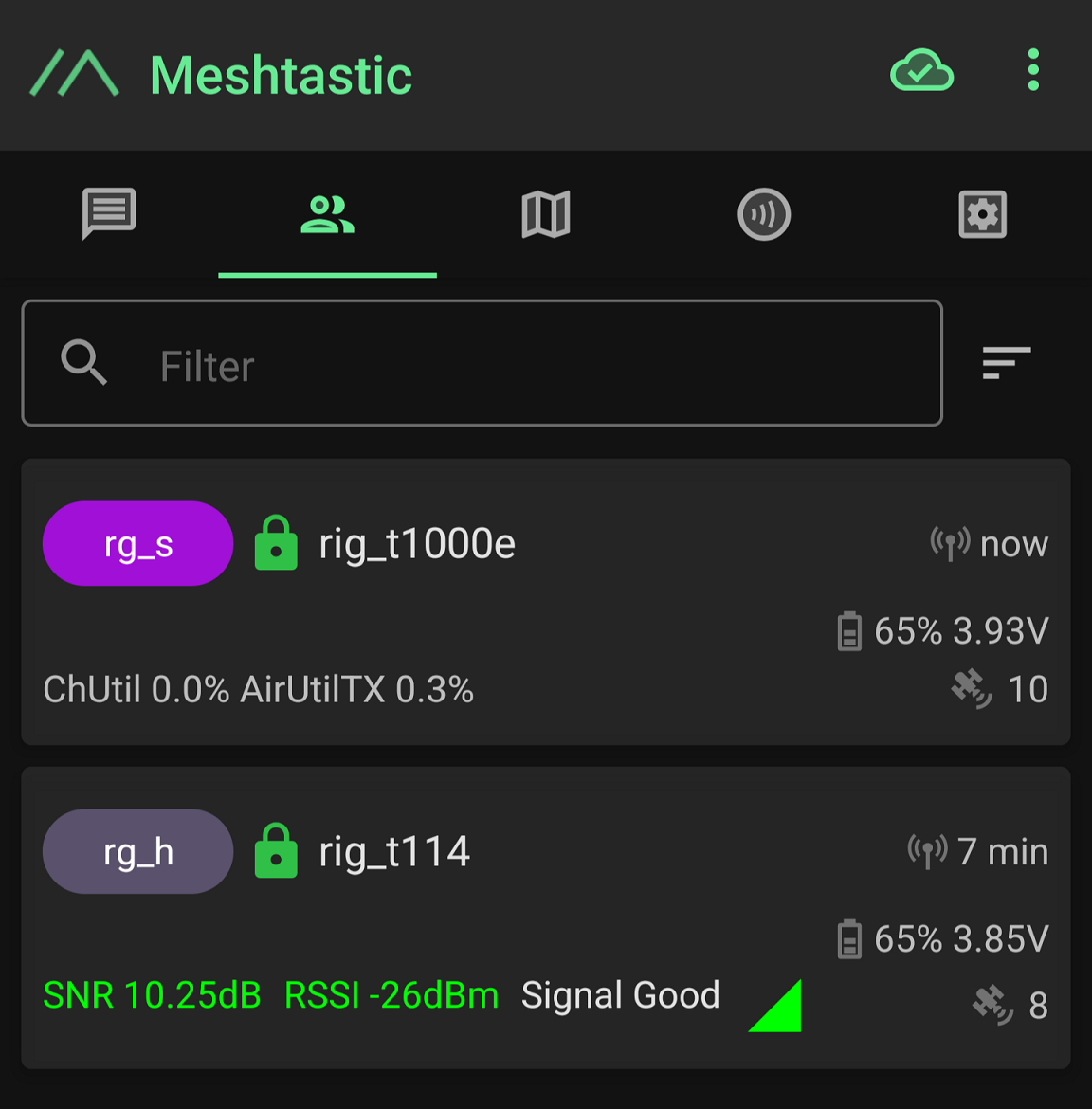
Once you’ve set up your channels, you can easily share your channel config with other nodes using a QR code or URL. If you leave your nodes powered on near each other, they will eventually find each other and you’ll be able to initiate a DM. This screenshot is of the nodes list within the Meshtastic app and indicates my two nodes can see each other.
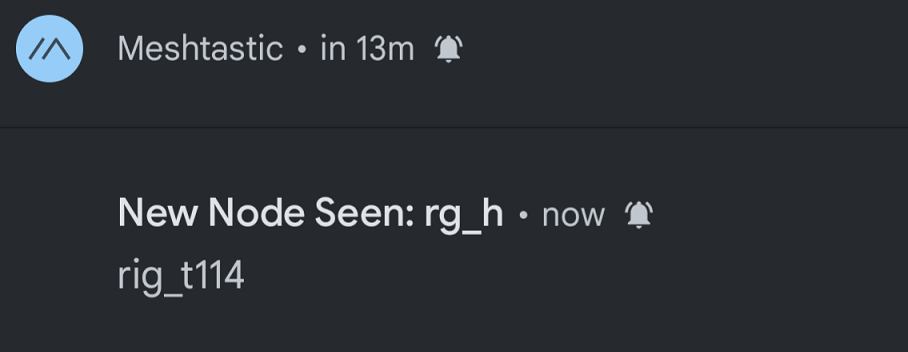
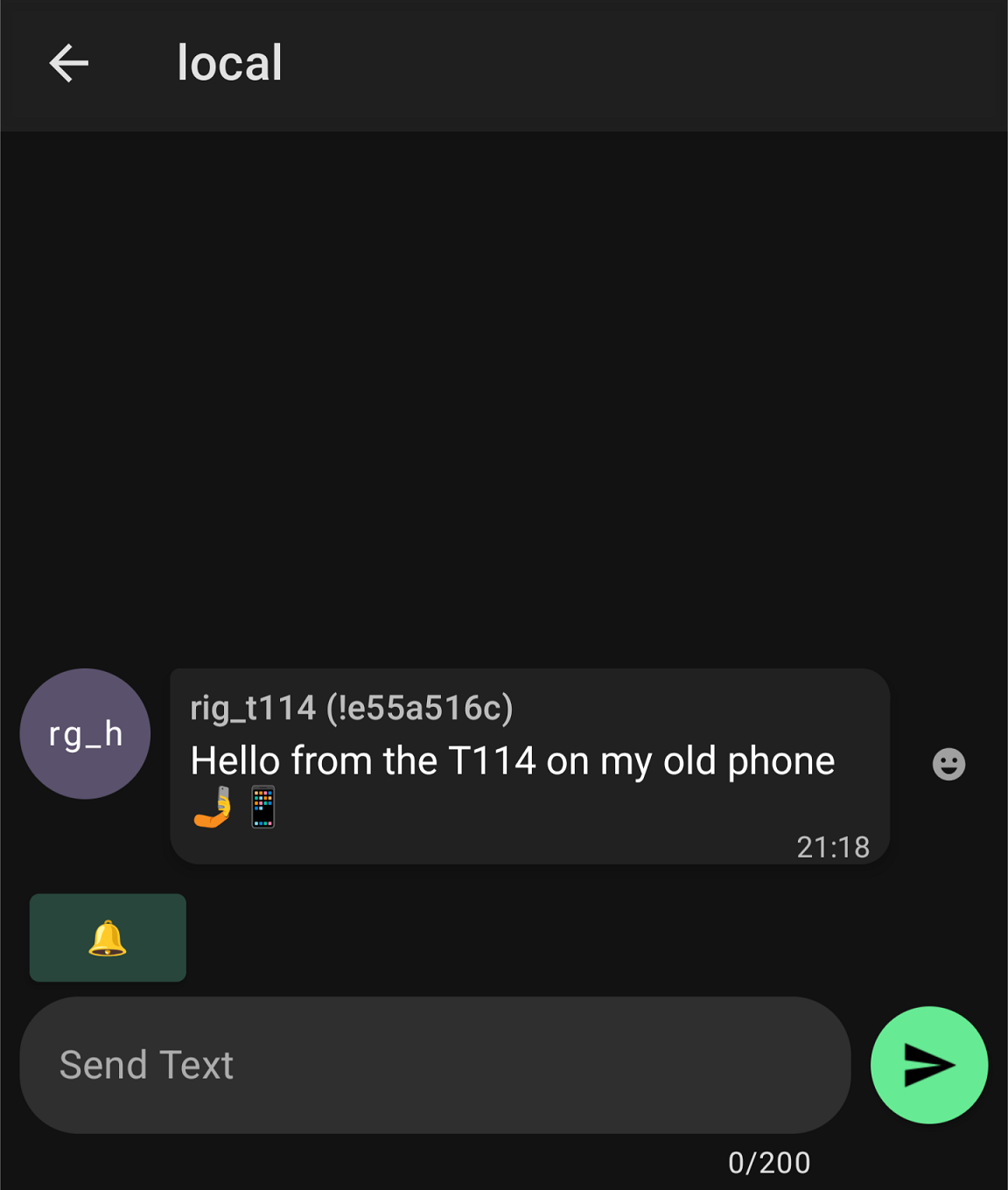
All of the channels I defined worked as expected. This screenshot is from my phone paired to my T1000E, receiving a message on my local channel.
Testing channel names and PSKs
As I mentioned earlier, I confirmed that the channel names also need to match in addition to the PSK. I tested this on my own devices, where a channel had the same PSK but different names. The message could not be received on a channel that worked fine previously when they shared the same name. Curiously, icon on the sending device indicated this message was acknowledged by the other node, but on the receiving device it was not delivered in any capacity - there was no signs it had been received within the channel.
After this, I swapped the original name to match the ’new’ name, and it was successfully delivered. I’m not sure exactly why this is, but due to the fact the sending device indicating the message was acknowledged, I’m wondering if the channel name is used in some kind of header for the packet and if they differ, it cannot be received correctly. Might be an excuse with a future project to play around this Meshtastic packet capture plugin.
Beep beep beep
The T1000E makes a series of somewhat irritating beeping tones when it receives a message. This can be muted by disabling the ‘PWM buzzer’ option in the External Notifications section of the settings. This feature could be somewhat useful if the node is separated from the phone, or if your phone is buried in a bag or pocket and you want to be notified. Even when disconnected from it’s paired phone, the T1000E beeped when it received a message. This could later be viewed in the phone once re-paired, meaning it’s presumably held in memory from some period of time.
The T114 also has a small display and is able to receive messages, even if not paired to a phone. No beeping though - thankfully.
Range tests and feasibility
I did some limited range testing and was able to pick up messages from about 120m away in a suburban setting. I had no luck at about 350m, although this was with a lot of obstruction in the way (a few streets worth of double brick Australian houses) and almost zero attempt to optimise the signal strength by placing either node at elevation. Like other forms of radio, Meshtastic relies on line of sight for optimum signal transmission. I suspect a little bit of effort with positioning goes a long way for increasing range.
Generally speaking, the expected maximum range under good conditions for LoRa is about 10km. However, the current longest ground distance recorded between two Meshtastic nodes directly (point to point, with no relaying) is a whopping 331km kilometres.
Since I’ve started playing around with Meshtastic, sometimes I’ll throw a node in my bag while I’m out and about. The mesh network and overall ‘scene’ for Meshtastic in my region seems to be relatively minimal, so I haven’t discovered much. Admittedly, I haven’t made much of an effort to actually look for other nodes either.
Conclusion
In the future, I’m interested in conducting some range tests the next time I go camping out bush, or maybe even while snowboarding. With more elevation/altitude and some clear sight lines, I’m keen to see what these little nodes can do.
To me, Meshtastic is a technology that becomes more viable as it’s user base grows. The more nodes, the more useful it actually becomes. The ability to have decentralised, encrypted communications is a powerful capability.
While in their current state these may not be a completely viable primary communication channel, I could see these being suitable as a ‘second band’ or additional method to support UHF/VHF or GMRS radio communications. At the very least, it’s another cool gadget to play with.