After a few weeks of playing around with Meshtastic since my last post, I wanted to share some additional findings.
Revised channel configuration
In my original post, I made a mistake with the channel configuration. I encrypted my default ‘LongFast’ channel, which meant broadcasts from my node were encrypted and thus not receivable by other nodes. This meant my nodes could not reach others in my area (and vice versa), meaning I could not participate in the broader public mesh.
I learned that in order to find other public Meshtastic nodes, your PRIMARY channel must be the default LongFast ‘public’ channel with no PSK. You still have the option of removing or obfuscating your GPS broadcasts on this channel, to preserve your own privacy.
After adjusting my channel configuration, I took my T1000E on a few outings and found about a dozen other nodes in my general region. The immediate area surrounding my home appears to be somewhat of a dead zone, however this is obviously an unrelated problem.
Apart from these, my channel config is unchanged from my original article. Essentially, I just moved the LongFast ‘public’ channel to be the PRIMARY channel. The other two are now SECONDARY channels.
My current channel config is as follows:
Channel 0 - LongFast
- Uplink enabled
- Downlink enabled
- Position enabled, set obfuscation radius to 2.9km
- Precise location disabled
Channel 1 - private
- Uplink enabled
- Downlink enabled
- Position enabled
- Precise location enabled
Channel 2 - local
- Uplink disabled
- Downlink disabled
- Position enabled
- Precise location enabled
Upgrades and more range testing
I picked up a GIZONT 20cm 10dB 915MHz antenna from AliExpress to go with my T114 for about $16 AUD. The standard antenna seemed like it might be a little undergunned. I resisted temptation to go for the 40cm antenna, which would probably be a little unwieldy.
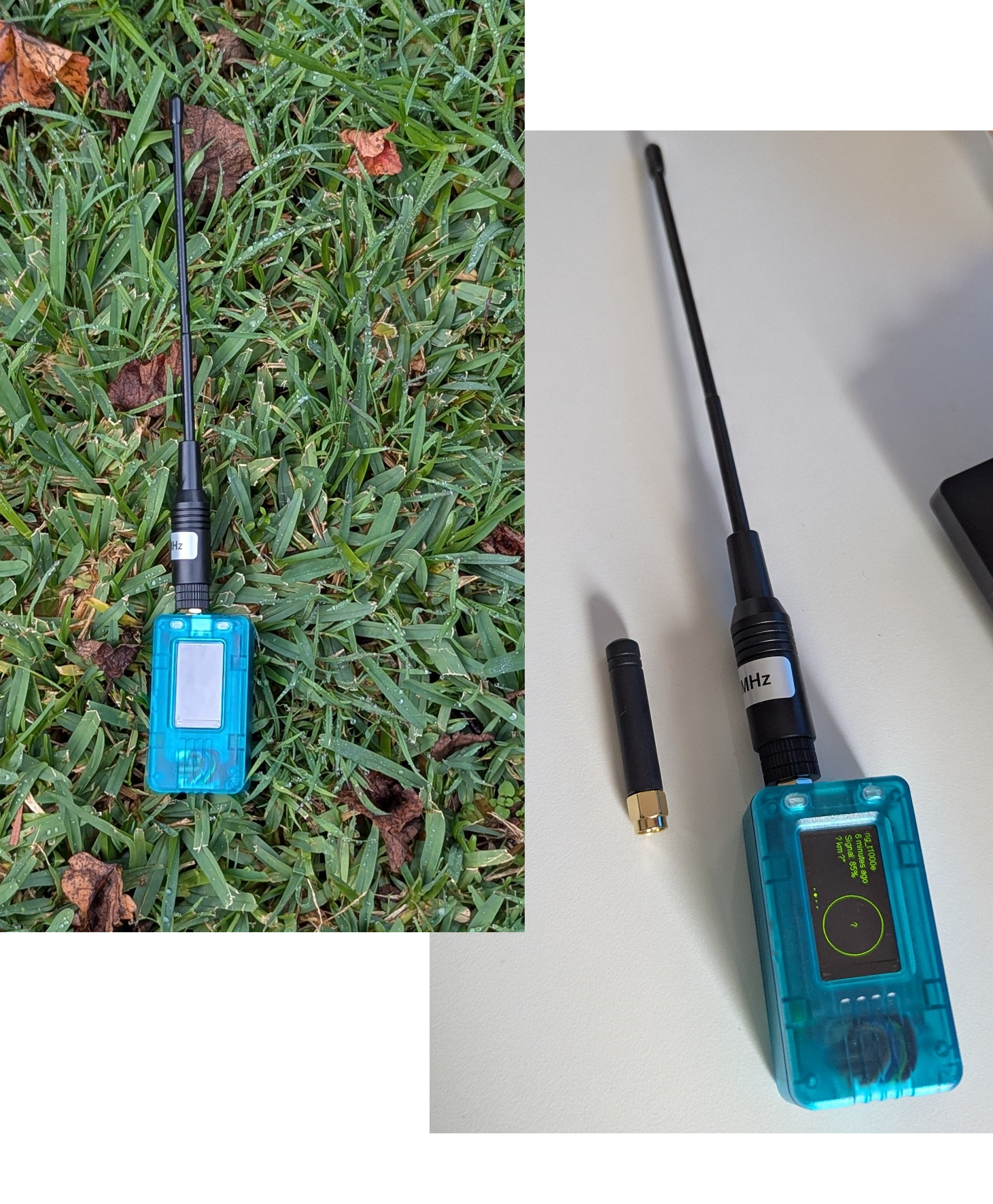
With this new antenna, I left my T114 up as high as I could easily reach at home without a ladder. After some time, my T1000E received a message that was relayed from the T114 - another user who claimed to be about 1.7km away was looking for a radio check! An example of the mesh in effect. Not bad for a half-hearted attempt.
With this setup, I also transmitted a message from my T1000E to my T114 about 300m with no issues. At 800m, it appeared to be too much in a suburban setting with obstructions and a poor line of sight.
Next steps
In the future I’m keen to:
- Take my newly, correctly configured nodes on some travels and see what nodes pop up.
- Do some more range testing between my own devices, such as when camping somewhere wide open like on the beach or sand dunes.
- I’m considering grabbing another T1000E and seeing what kind of range I can get between two of these compact, all-in-one devices.
- Explore options for a semi-permanent, solar powered node for home installation, or perhaps a vehicle-mounted node.
- Make an effort to utilise Meshtastic in some real world scenarios outside of radio checks and range testing.