Introduction
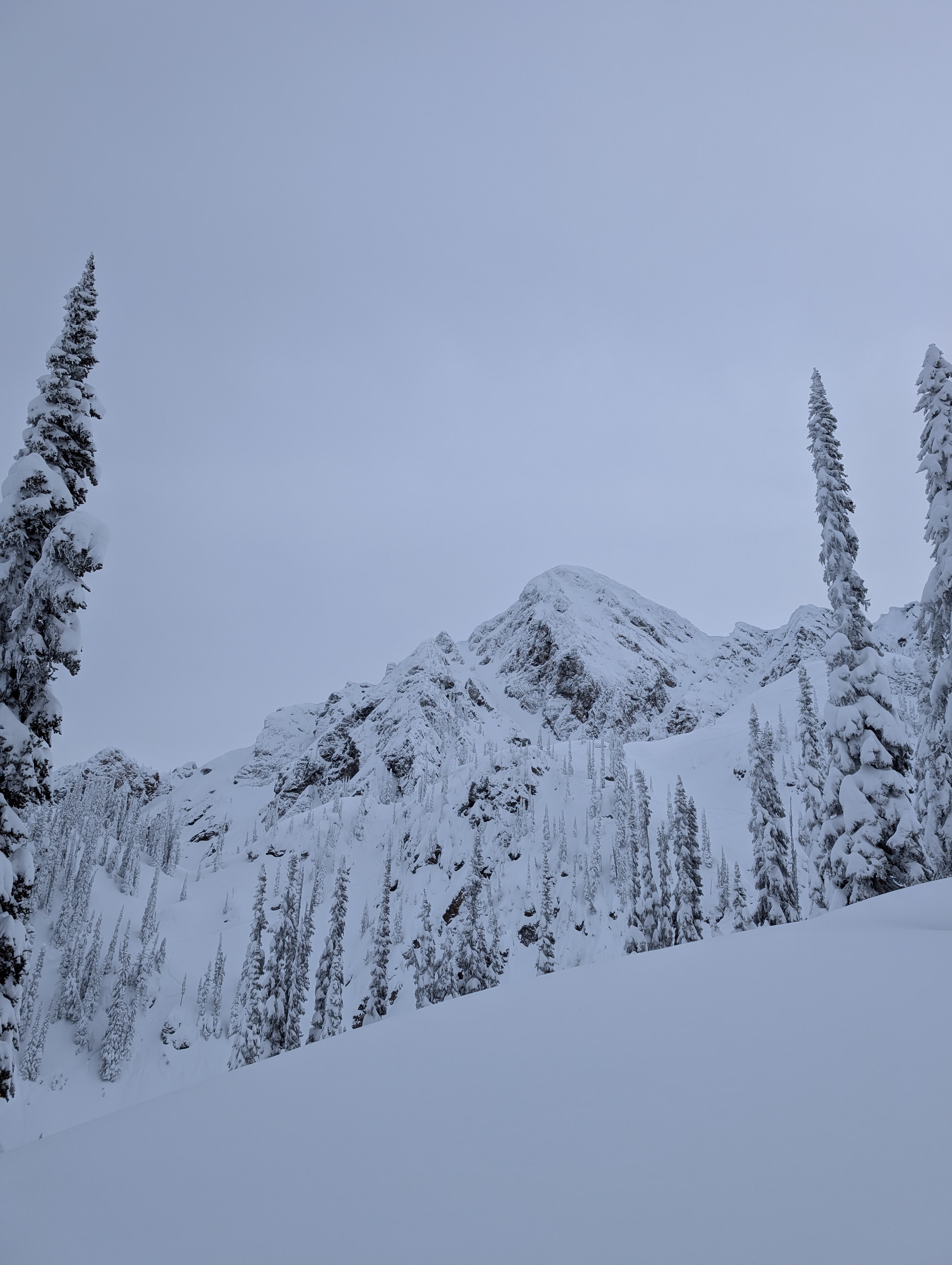
I’ve recently had the opportunity to spend some time snowboarding at Revelstoke Mountain Resort in British Columbia, Canada. On this trip I picked up a new Meshtastic node - the RAK WisMesh Tag. The WisMesh Tag is essentially a beefed up SenseCAP T1000E, claiming improved battery life and performance. While I haven’t had enough time to validate those claims, this trip was an excellent opportunity to use Meshtastic in the field as there is poor cellular reception on the mountain. While I was obviously testing this on the mountain, the same principles and configuration is relevant for use cases like hiking, climbing, camping and a range of outdoor activities.
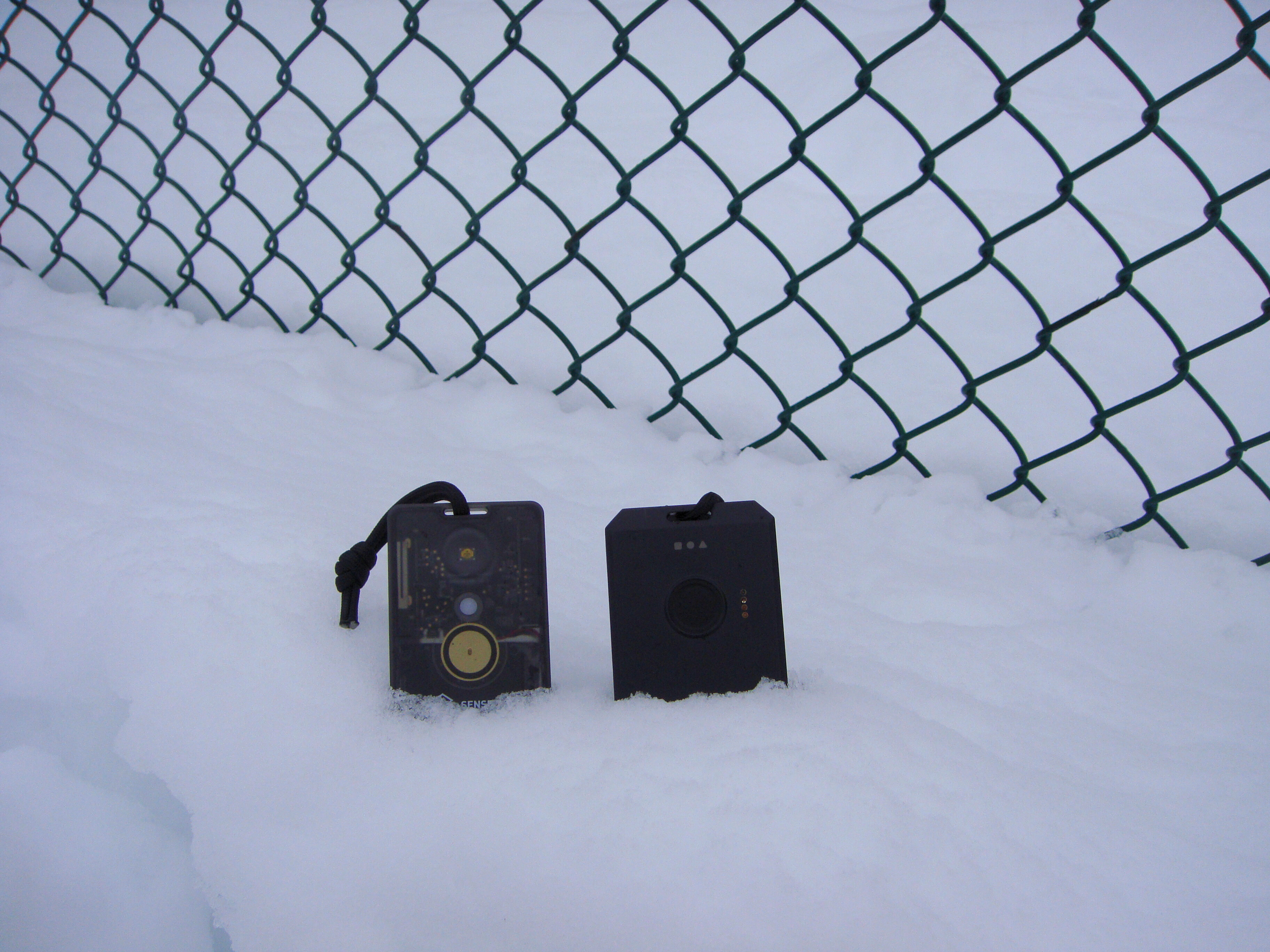 Image 1: SenseCAP T1000E and RAK WisMesh Tag
Backcountry radios utilising FRS bands are the primary system of communication among resort and backcountry skiers/snowboarders in North America (with UHF CB being the dominant force back home in Australia). However, Meshtastic and other LoRa radios offer new opportunities as a ‘second band’ of communication, with the added benefit of active GPS tracking. While undeveloped mesh networks (like where I was testing) largely rely on the transmission power of the individual nodes being carried by lone users, with some basic supporting infrastructure (strategically located nodes), they could become a viable form of communication for mountain users.
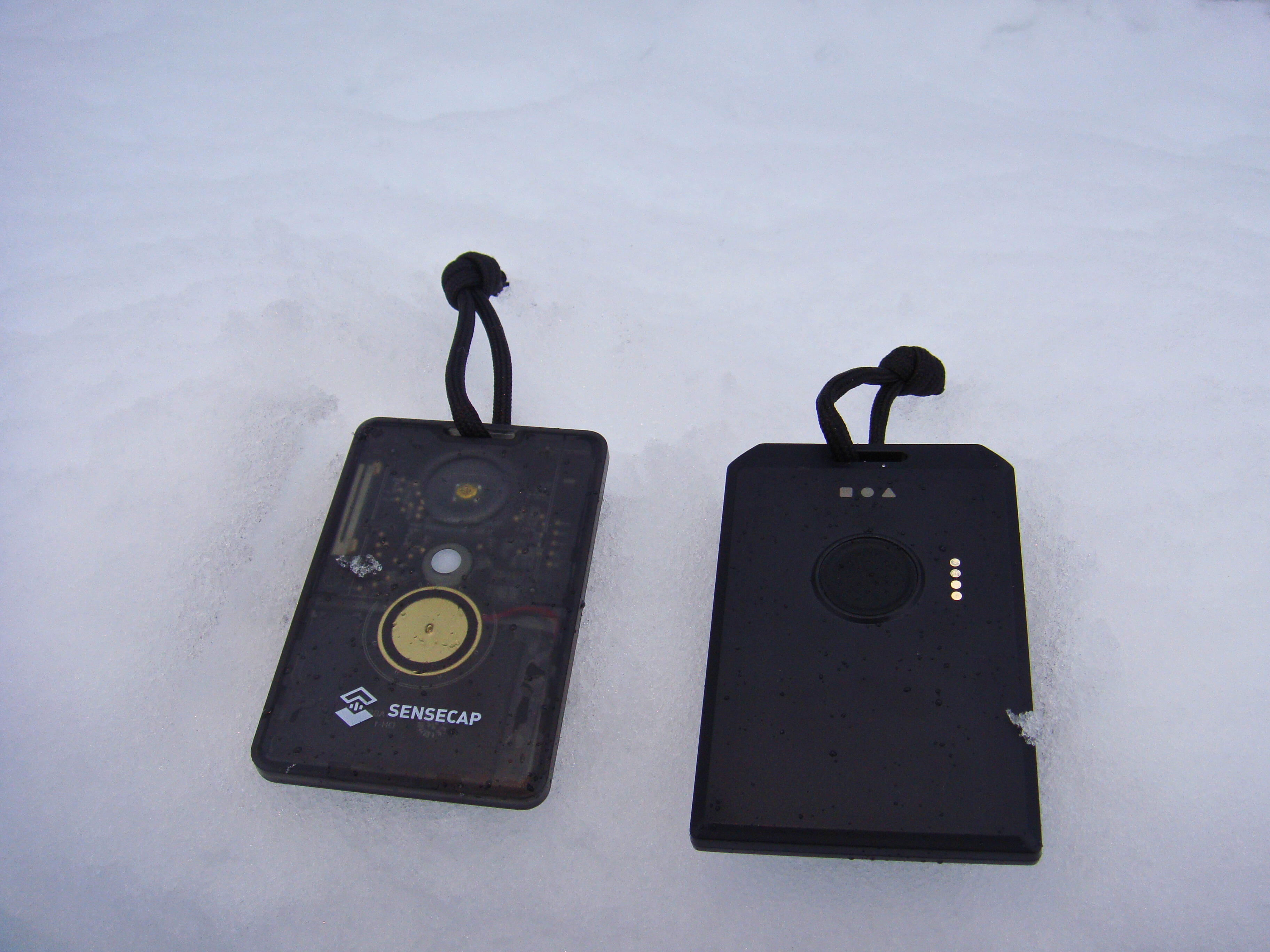 Image 2: SenseCAP T1000E and RAK WisMesh Tag
Configuration
Some minor configuration is required to make a Meshtastic node fit for purpose for reliable GPS tracking. Per Meshtastic docs, the three settings below are relevant. You can find these settings in the Meshtastic app under Device configuration > Position.
-
GPS Update Interval:How often a node attempts to get GPS position (in seconds). -
Smart Broadcast:An optional feature to send out your position at an increased frequency if your location has changed enough for a position update to be useful. The values for this are Minimum Distance (in metres) and Minimum Interval (in seconds). -
Broadcast Interval:How often a node broadcasts it’s GPS position over the mesh (in seconds).
My specific settings were as follows: (* indicates something changed from default):
GPS settings
GPS: Enabled

Position Packet:
- Broadcast Interval: 90 seconds*
- Smart Position: Enabled
--- Minimum Interval: 45 seconds**
--- Minimum Distance: 20 metres***

Device GPS:
- Fixed Position: Disabled
- Update Interval: 40 sec****
Default values for the above:
- * 900 seconds (15 min)
- ** 30 seconds
- *** 100 metres
- **** 2 min
Functionally, this configuration ensures the following:
- Node to acquire GPS position every 40 seconds (GPS Update Interval)
- Node to broadcast GPS position every 90 seconds (GPS Broadcast Interval)
- Use ‘Smart Position’ feature to broadcast position every 45 seconds, IF the new GPS location acquired is >= 20 metres - i.e. broadcast more frequently if the person is moving, otherwise wait until regular GPS broadcast interval.
In theory, Smart Position could be disabled to simplify things and simply always broadcast every X seconds as per the broadcast interval. I wanted to test Smart Position, as it can reduce redundant broadcasts in chairlift queues, or if someone is stopped on a run. I’m unsure how this features effects CPU utilisation and ultimately battery life, however I found battery life to be acceptable. With both devices fully charged, I was able to easily get a whole days use out of each node with the configuration above.
Fewer GPS pings and broadcasts over the mesh will reduce CPU load and battery consumption, so if battery life is a concern these settings could be adjusted. This might be useful on multi-day trips where recharging is more difficult and precise location tracking is less useful. In this situation, you could increase all variables to something more conservative. This would be more appropriate for an activity like hiking where travel is slower and regular GPS updates are less useful.
Channel settings
I made some changes to my past configuration detailed in this post. The Meshtastic app states that if position broadcast is disabled on the primary channel (LongFast, for most users), it can be enabled on the first secondary channel (private, as per my screenshot below). Previously I shared approximate location over the public mesh (mainly for testing purposes). However, now my location telemetry is kept to a private encrypted channel, meaning I can safely share precise GPS location details with only the intended recipients.
The private channel is still configured to relay messages from other nodes and participate in the broader mesh. This means if other random nodes are active, they should also relay my telemetry if I don’t have direct contact with my own nodes.
My channel config looked like this (Note that my PSK is redacted, for privacy).
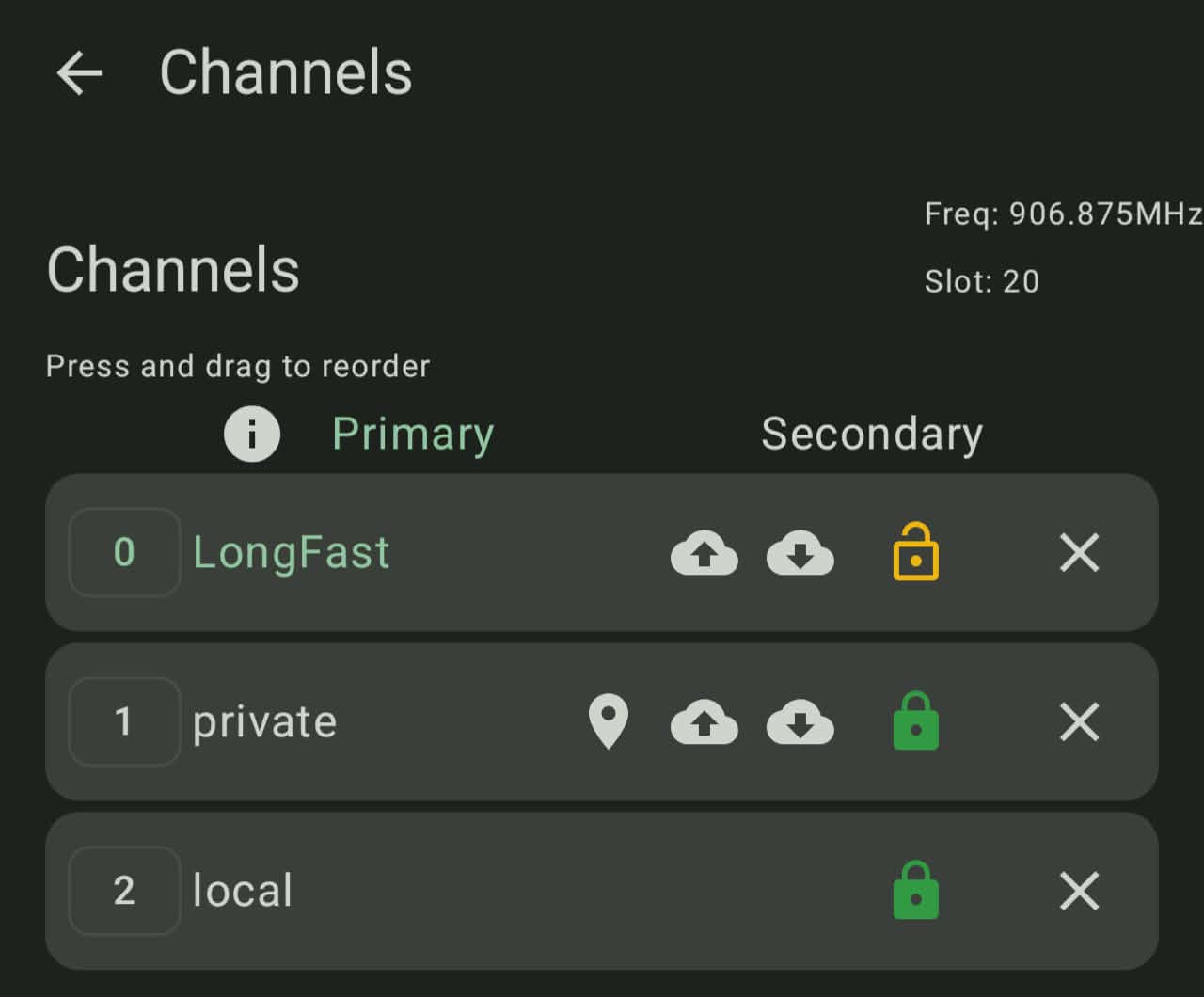
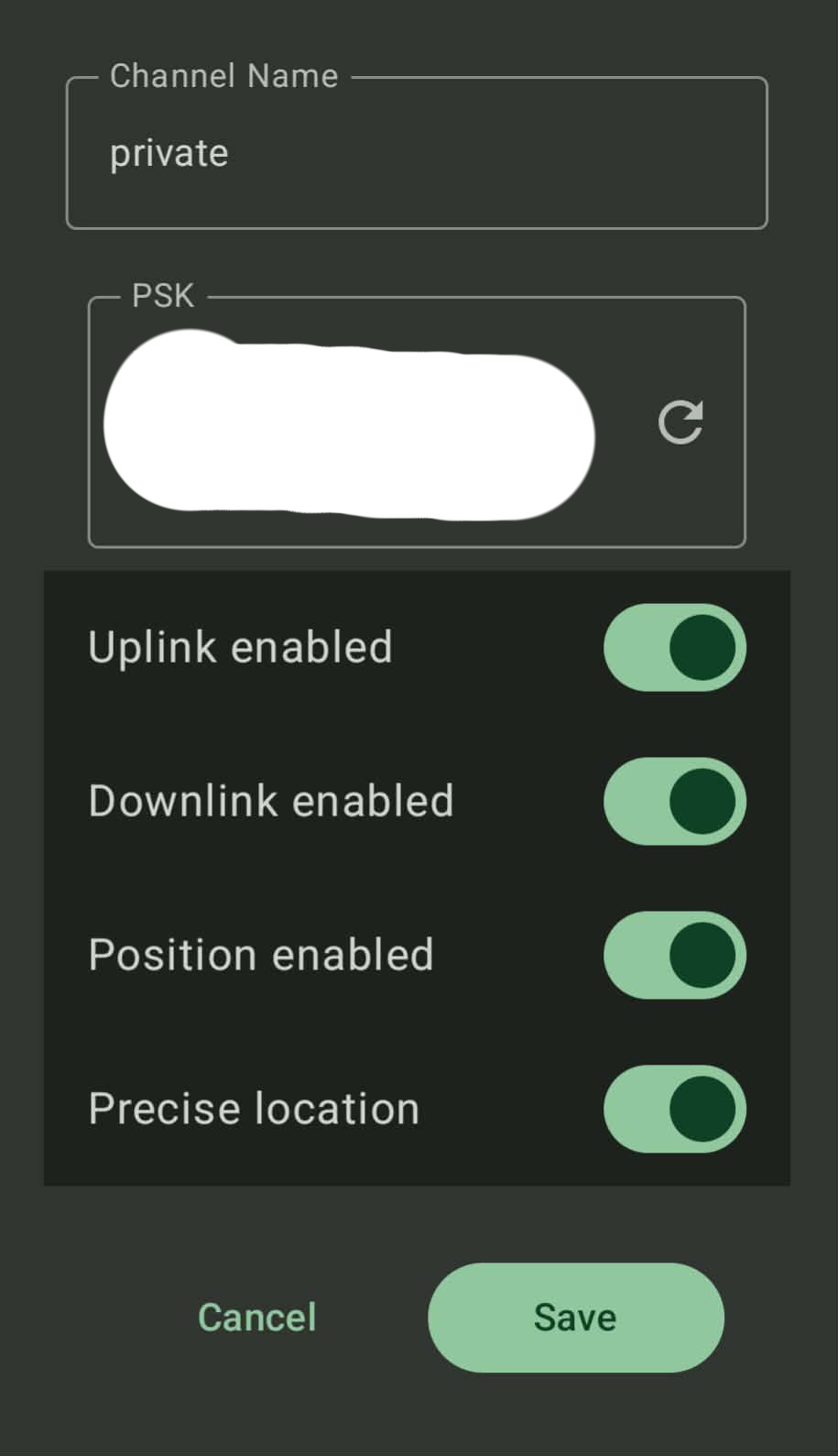 Image 3 and 4: Channel configuration for both nodes
Other options
I left my nodes on regular CLIENT mode as I wanted to be able to send messages easily still, but the TRACKER role might be beneficial where broadcasting GPS updates is the main priority. Link to Meshtastic docs.
Results
Testing occurred across several days. In true Revelstoke fashion, it was generally cloudy with moderate to good visibility. No heavy fog or cloud on the days I was testing, but not perfect bluebird visibility either.
Test case 1: Carpark to top of gondola / upper mountain station.
As always, line of sight is key. Leaving my T1000E on the dashboard of my car in Revelstoke’s carpark, I was successfully able to send messages and get GPS updates from my WisMesh Tag in my pocket for the majority of the gondola, including at the Mackenzie Outpost at the gondola top. That’s a distance of about 2.9km, covering about 1190 metres of vertical. Impressive for two small nodes! The gondola has good visibility over the tree canopy down to the resort base and car park.
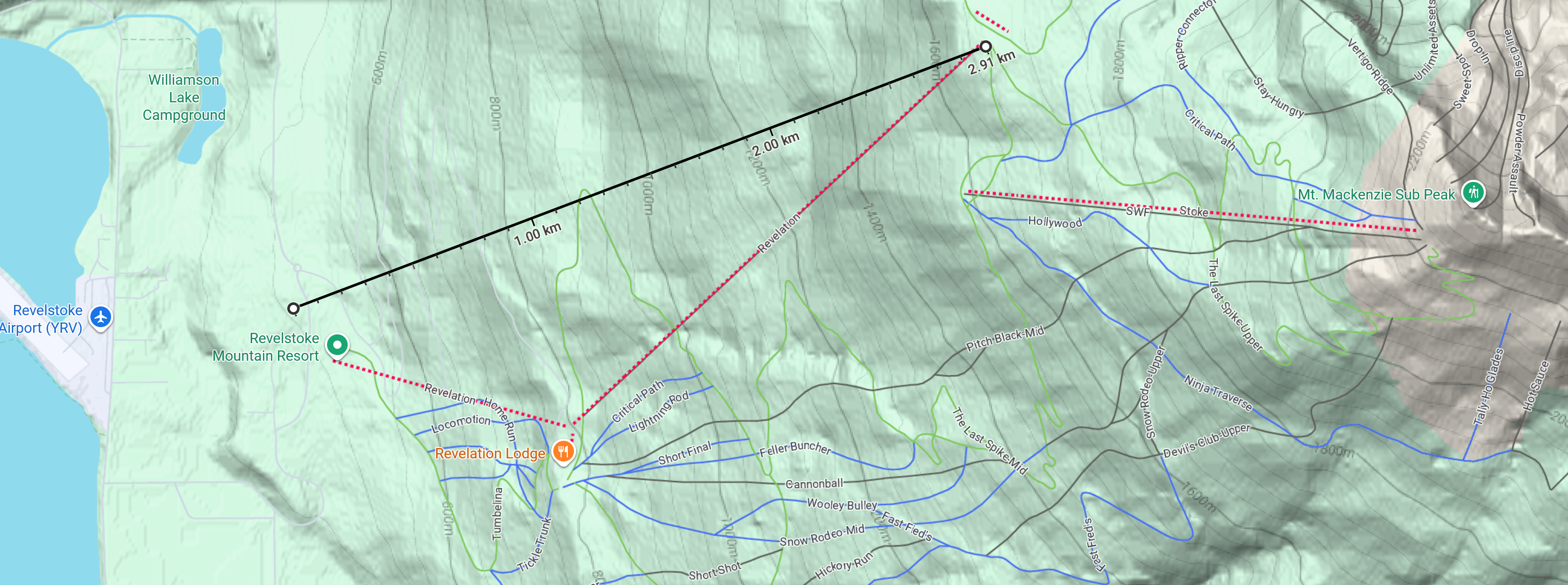
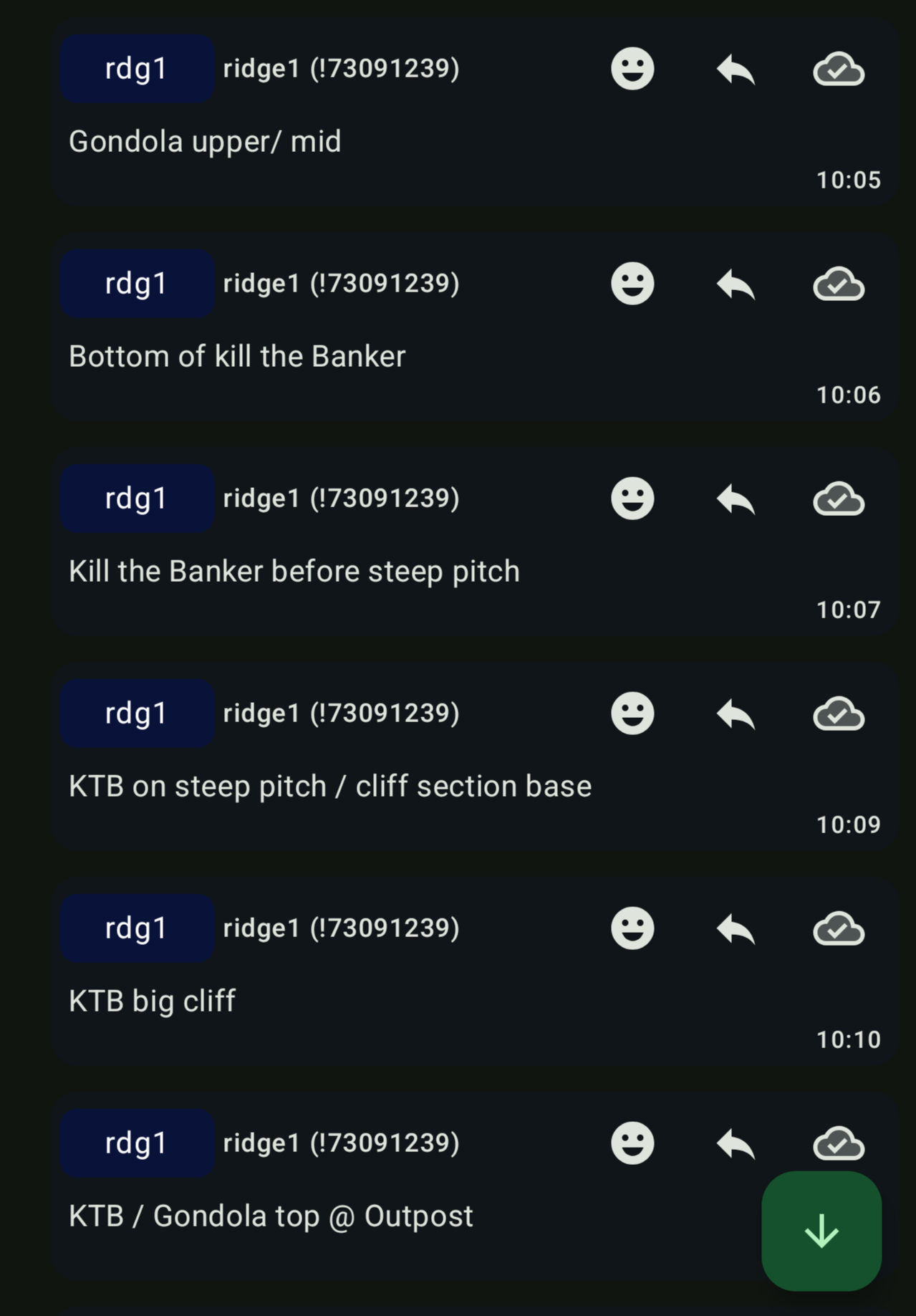 Image 5 and 6: Test case 1 - Gondola base to top. Map and message delivery.
Test case 2: Riding the same part of the mountain
With my wife and I both lapping the same chairlift asynchronously (at our own pace, riding separately), I was able to successfully get timely and accurate GPS position updates. Checking my phone after getting on the chairlift, I could see recent pings from her node ahead of me at the top of the lift, or part way down a run.
It worked well and it was easy to get a general idea of where she was, even when several hundred metres apart. Note that rdg1 is the WisMesh Tag, while rdg2 is the T1000E.
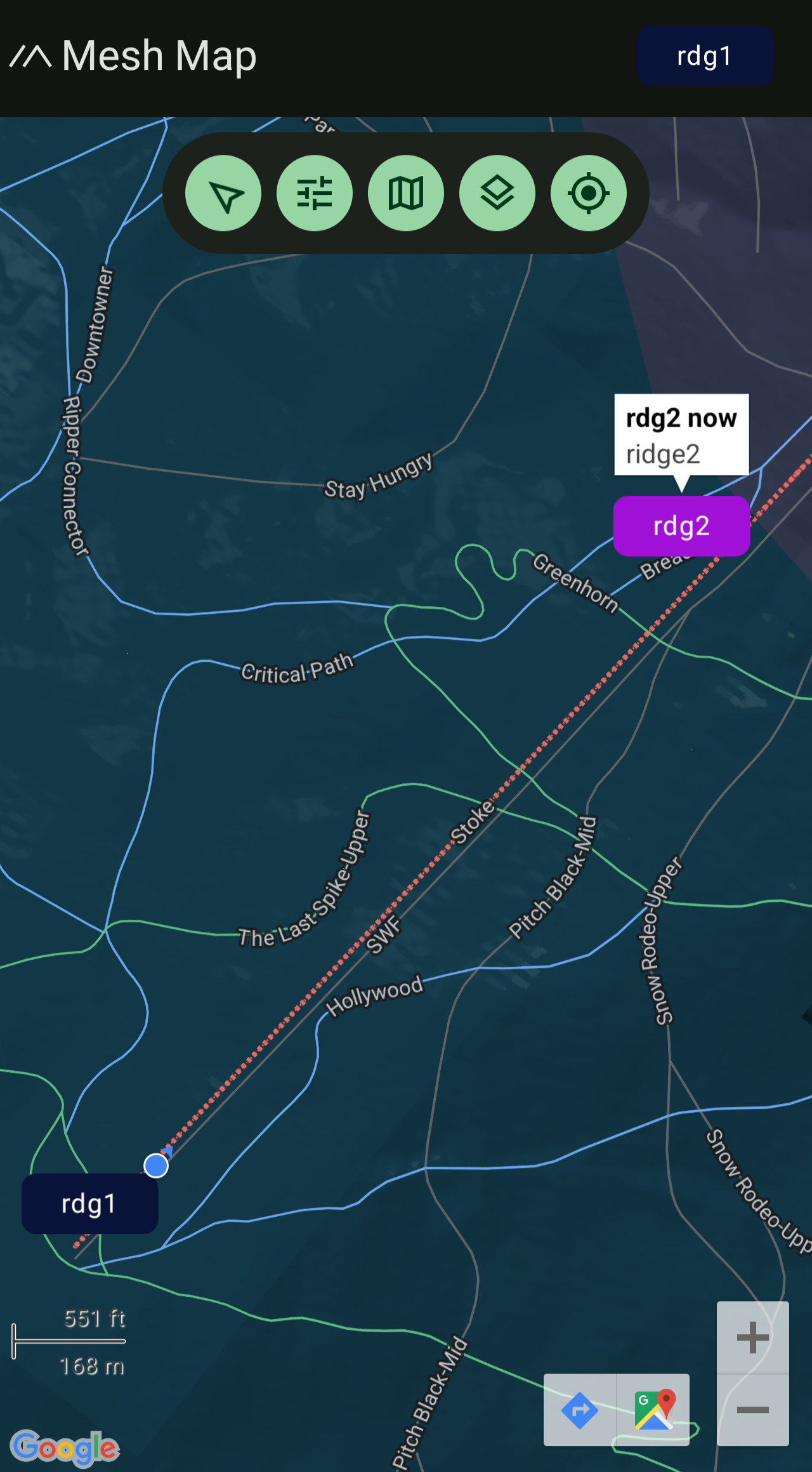 Image 7: Test case 2 - Stoke chairlift.
Test case 3: Riding different parts of the mountain.
My wife was skiing on one area of the mountain, while I was riding a different chairlift higher up that has intermittent line of sight. For a few laps I was consistently able to see recent GPS updates from the node she was carrying. Eyeballing the map, this would’ve been about 850 - 1000 metres.
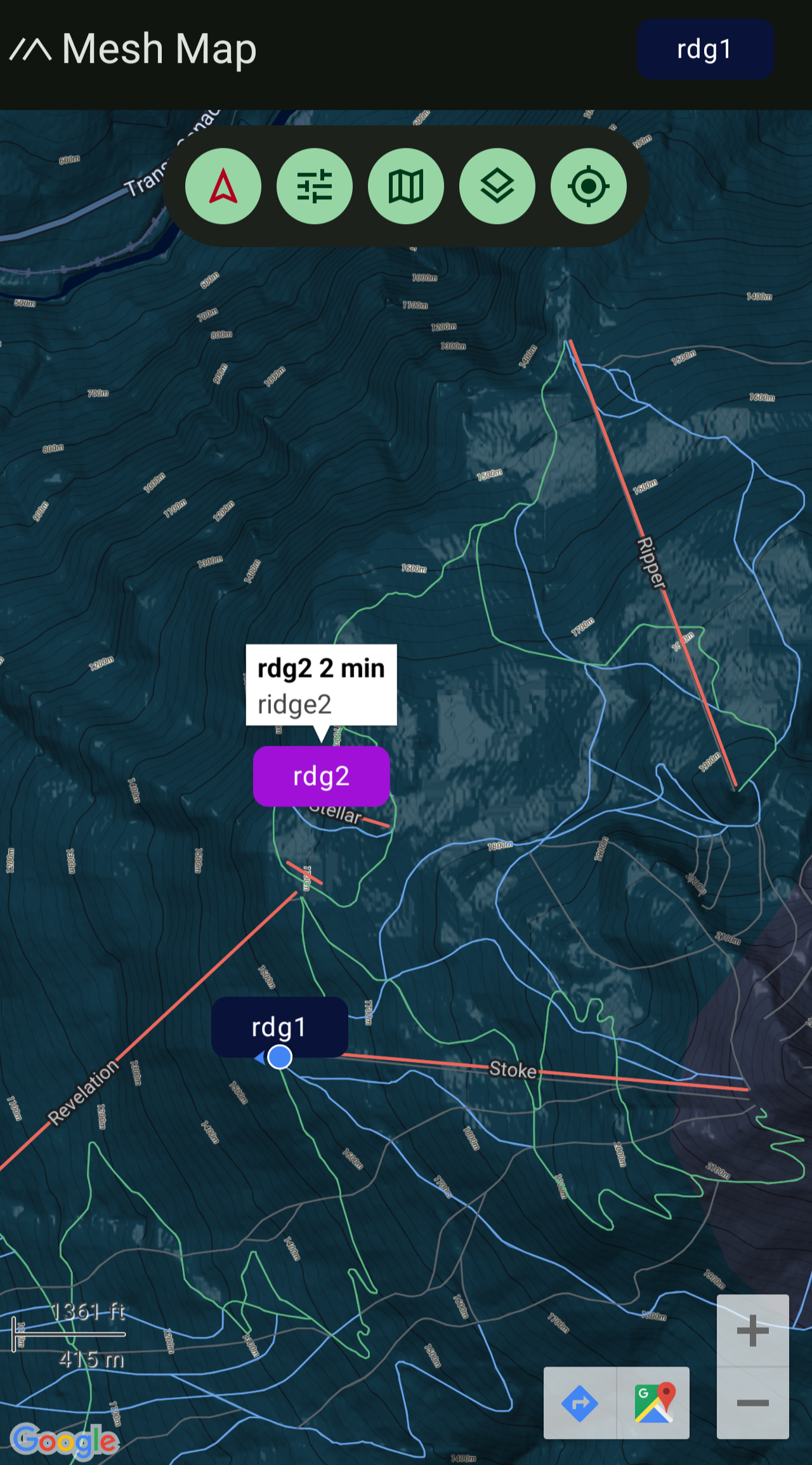 Image 8: Test case 3 - Stoke to Stellar chairlift.
Eventually, the GPS stopped updating and I was able to infer that she had likely moved to a different part of the mountain (as we had discussed earlier). Once I made it over to this area, I was able to pick up the GPS signal again.
Other testing notes
I am yet to test the GPS tracking when riding with a person in close proximity. Generally I maintain visual/audible contact with my riding partner. Given given I was able to track at much greater differences reliably, I have confidence that Meshtastic devices would be quite effective in locating a riding partner if you became separated in gladed terrain or something similar. For example, if there are light obstructions such as trees (but no major terrain obstacles such as large cliffs) and you are within 100 metres.
I’ve had success testing these two nodes in an urban setting with minor obstruction (trees, 1 to 2 story buildings), flat terrain, nodes at human EDC level (in pockets, not elevated). They were successfully able to reach each other without issue at about 150 metres.
Result Summary
A brief summary of the results and reliability of GPS tracking in the scenarios detailed above.
- GPS tracking with clear lines of sight: reliable.
- GPS tracking when on the same area of the mountain: reliable.
- GPS tracking when on different areas of the mountain (near - no major terrain obstructions): intermittent.
- GPS tracking when on different areas of the mountain (far - significant terrain obstructions): not possible.
For those familiar with Revelstoke:
- Reliable tracking from resort base/ car park to Revelation gondola top.
- Reliable tracking in proximity to Stoke chairlift.
- Intermittent, but decent tracking between Stoke and Stellar chairlifts.
- No tracking possible between either Stoke/Stellar and Ripper chairlifts.
- Intermittent tracking around Ripper chairlift (likely due to lower elevation and more obstruction).
Revelstoke’s trail map for reference. Link.
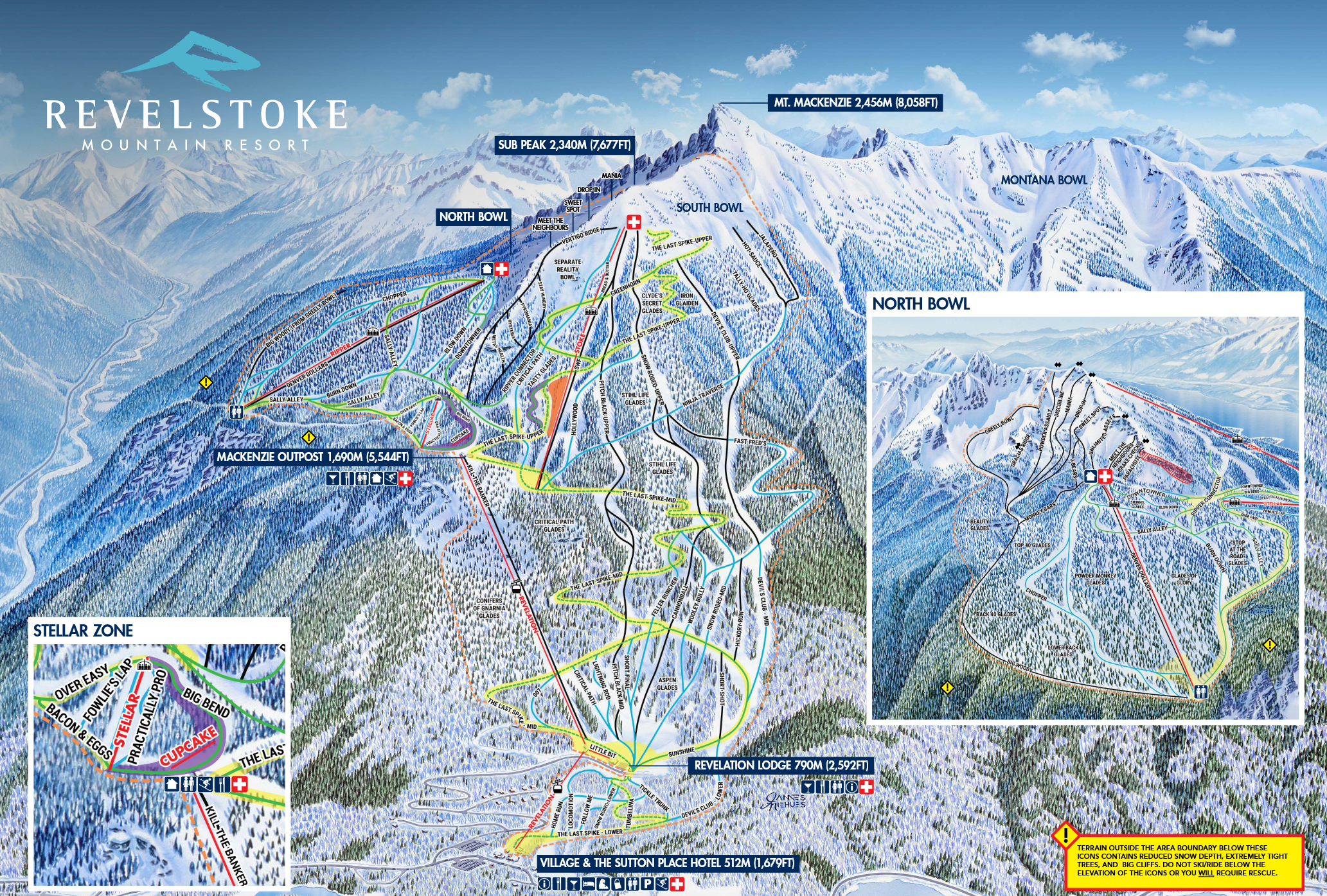 Image 9: Revelstoke Mountain Resort trail map.
Takeaways
Line of sight is key
The biggest downfall here simply line of sight. Outside of an immediate 100m radius, any LoRa radio will struggle with obstruction.
On a mountain, line of sight can be incredible, especially in clear conditions (I even picked up a few messages from a person on a commercial flight passing over a mountain that was over 100km away as the crow flies). However, with all the different trees and glades, bowls, chutes, ridges and rocks that make snowboarding so fun, that also gets in the way of LoRa radio transmission.
Infrastructure upgrades
Performance could could be supplemented with additional nodes:
- at the resort summit or other high points that can relay broadcasts across the mountain.
- on opposing mountains with line of sight to different zones on the mountain.
- at the resort base, if there is decent visibility of the mountain.
- mounted on a vehicle at the base car park, if there is good line of sight.
After studying the topography around Revelstoke, node installation in the following areas would be useful for improving connectivity.
Within the resort:
- Top of Stoke chair.
- Somewhere along Vertigo Ridge.
- Top of Sub Peak.
- Carpark / resort base, or at the gondola mid station.
Outside the resort:
- At elevation in the downtown area.
- Across the Columbia River underneath Mount MacPherson.
I’ve hastily placed most of these onto a crudely annotated map below. Note that this is just rough early thinking based on what you can see with your own eyes at the resort. It is not to scale.
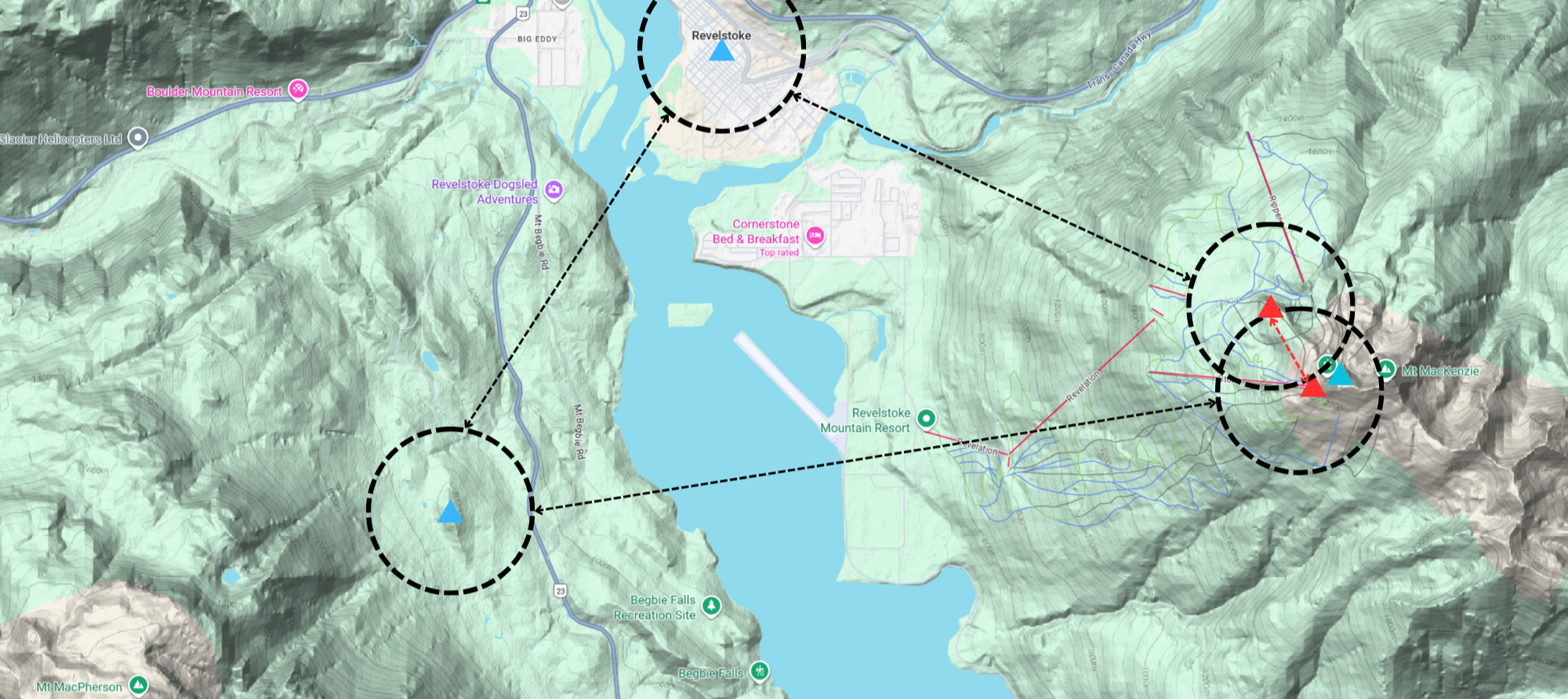 Image 10: Crude annotated map of potential node locations.
Based on ’the vibe’, the most early connectivity gains for the resort would be established by placing a node somewhere on Vertigo Ridge and at the top of the Stoke chair (the two red triangles, with the red dotted line connecting them). These two locations are within easy line of sight of each other, have great visibility over much of the mountain and could bridge the obstructions of terrain. From Vertigo Ridge, you can see much of Revelstoke’s northern and southern terrain. From the top of Stoke, you can see much of the southern terrain and Stellar. The blue triangles represent Revelstoke’s downtown area, the Sub Peak, and Mount MacPherson. Of course, permanent node installation in wintery alpine conditions is a different ballgame. That’s a challenge for another time.
Conclusion
If you are riding with another person carrying a node, you can expect to regularly capture their GPS position. One genuinely useful scenario is the ability to have a ’last seen’ position in the event you are separated. At bigger resorts, it’s quite easily to get separated from a riding partner in glades or alpine terrain with cliffs, different gullies and chutes that can force your respective lines to diverge. Especially if you are riding in powder and end up stuck in low points. Being able to get a ’last seen’ location means you can either work towards them again and hopefully find them or pick up another GPS signal.
In the event of a true emergency where they are potentially injured or immersed in a tree well, you at least have a starting point instead of thinking they are just ‘over there somewhere’. Obviously GPS accuracy is not infallible in the mountains or in forests, although I’ve found the position tracking to be accurate. Of course, Meshtastic devices are absolutely not a substitute for backcountry radios, avalanche transceivers, or other mountain safety practices (such as riding together and maintaining both visual and verbal contact with your partner- “Woo hoo!”). However, I’m of the opinion that more data is better to have for decision making.
Generally speaking, avalanche transceivers are designed for scenarios where there is genuine and immediate risk to life, such as an avalanche or tree well immersion. They are also seldom worn by mountain goers inbounds at resorts. They also don’t allow you to check in on a riding partner to see where they’re at and if you have time for another lap before you meet up for lunch. While you can achieve this with backcountry radios, Meshtastic is considerably cheaper. I’d encourage people to think of Meshtastic as a secondary gadget for GPS tracking and text-based messaging where cellular service is poor. It’s absolutely not an emergency life-saving device like a avalanche transceiver nor is it a primary communication device like backcountry radios, but it does add value in a backcountry tech stack.
All up, I’d say this testing has proven to me that Meshtastic nodes are useful technology on the hill. With some supporting infrastructure, I believe Meshtastic could become an extremely practical solution for GPS tracking and text-based messaging among your riding group. Even with just two standalone EDC style nodes like the SenseCAP T1000E and RAK WisMesh Tag, when playing to the strengths of and working within the known constraints of LoRa radio (such as line of sight), GPS tracking was reliable and effective in a ski resort setting.
On the rare chance someone at RMR finds this and is interested in learning more about Meshtastic, please email me. You can find my details here.
Photos
Date taken: Dec 2025 - Jan 2026.
Critical Path / Bread & Butter.
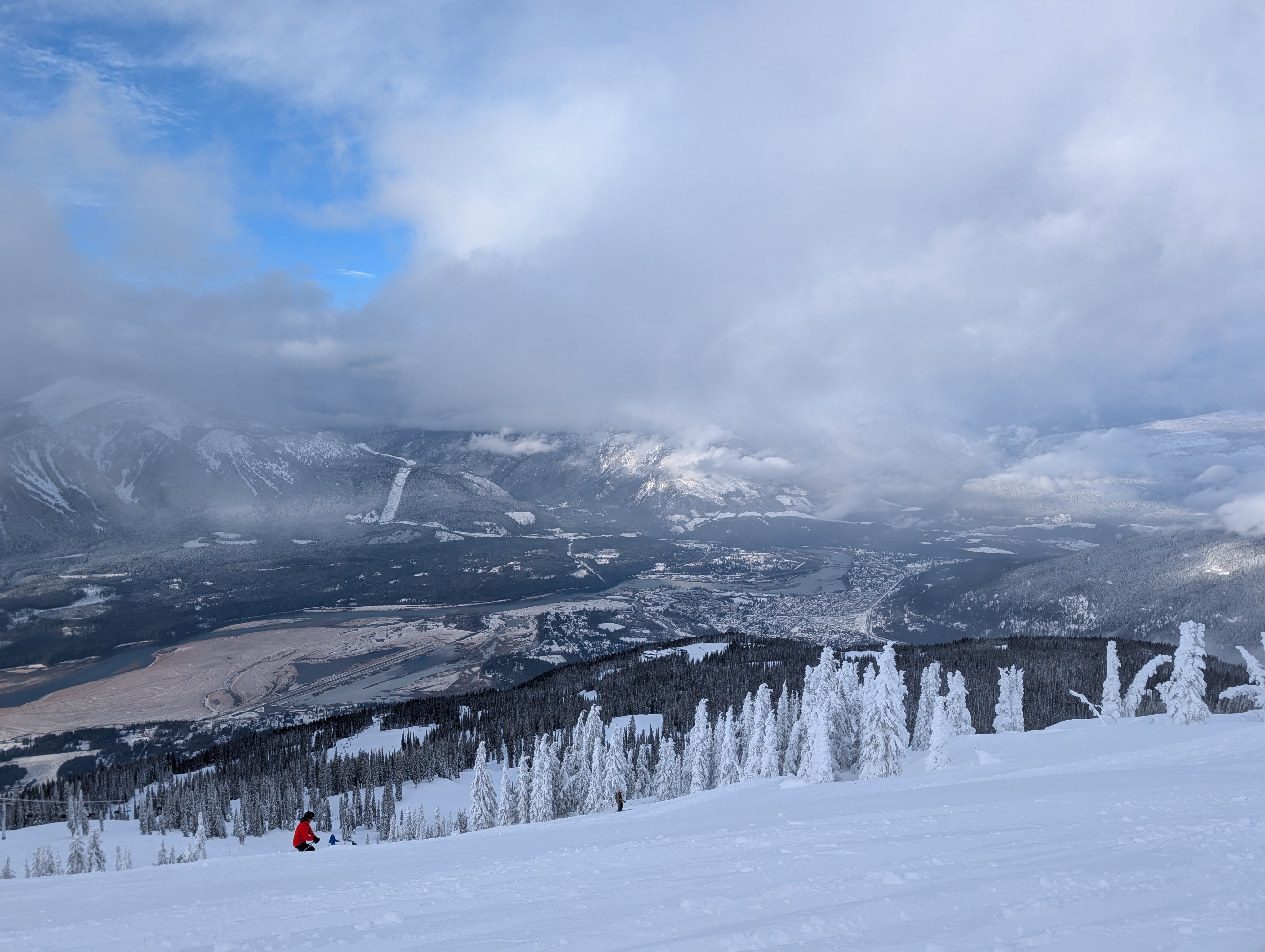
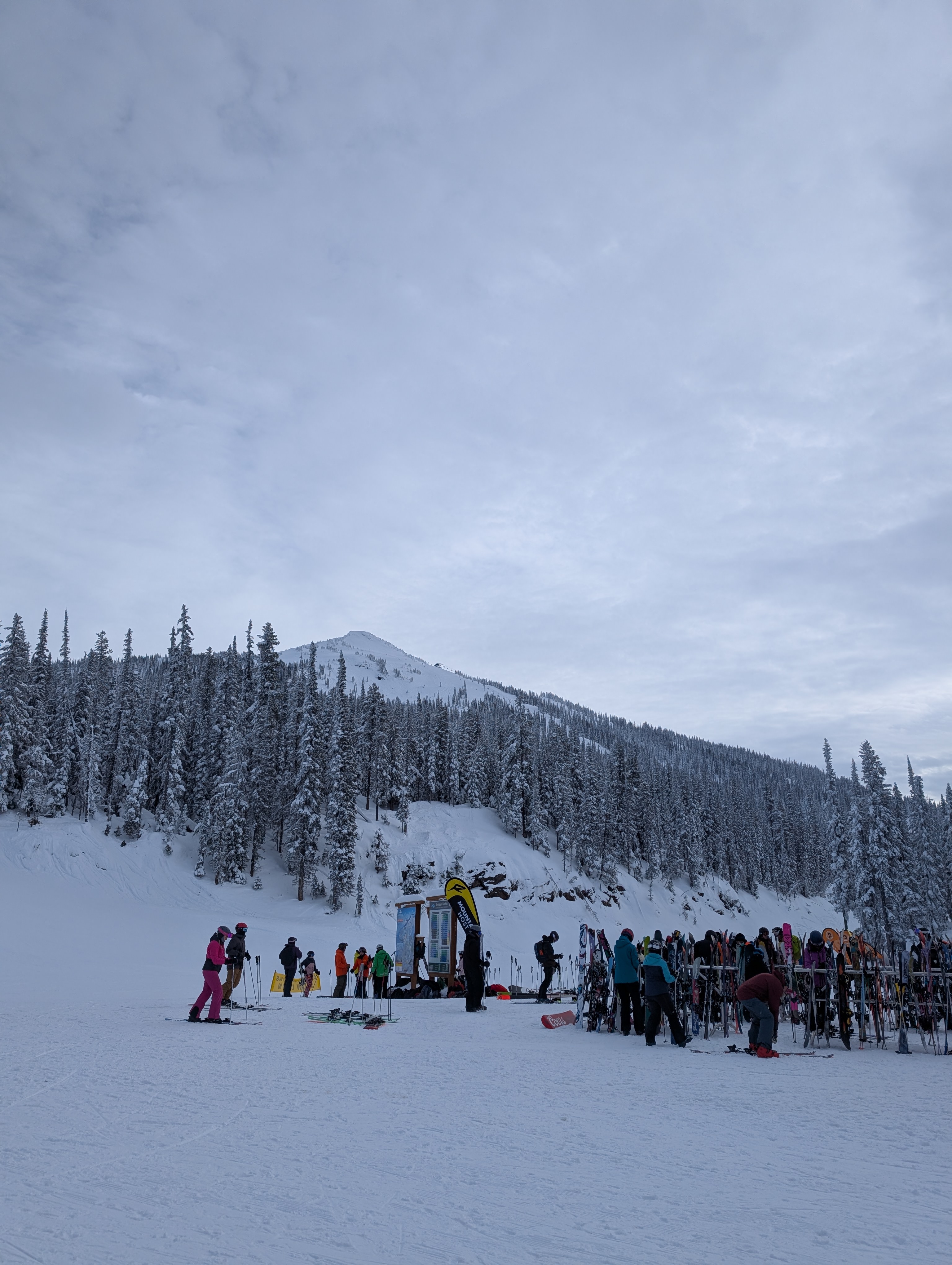
Top of Gondola, looking up at Separate Reality Bowl.
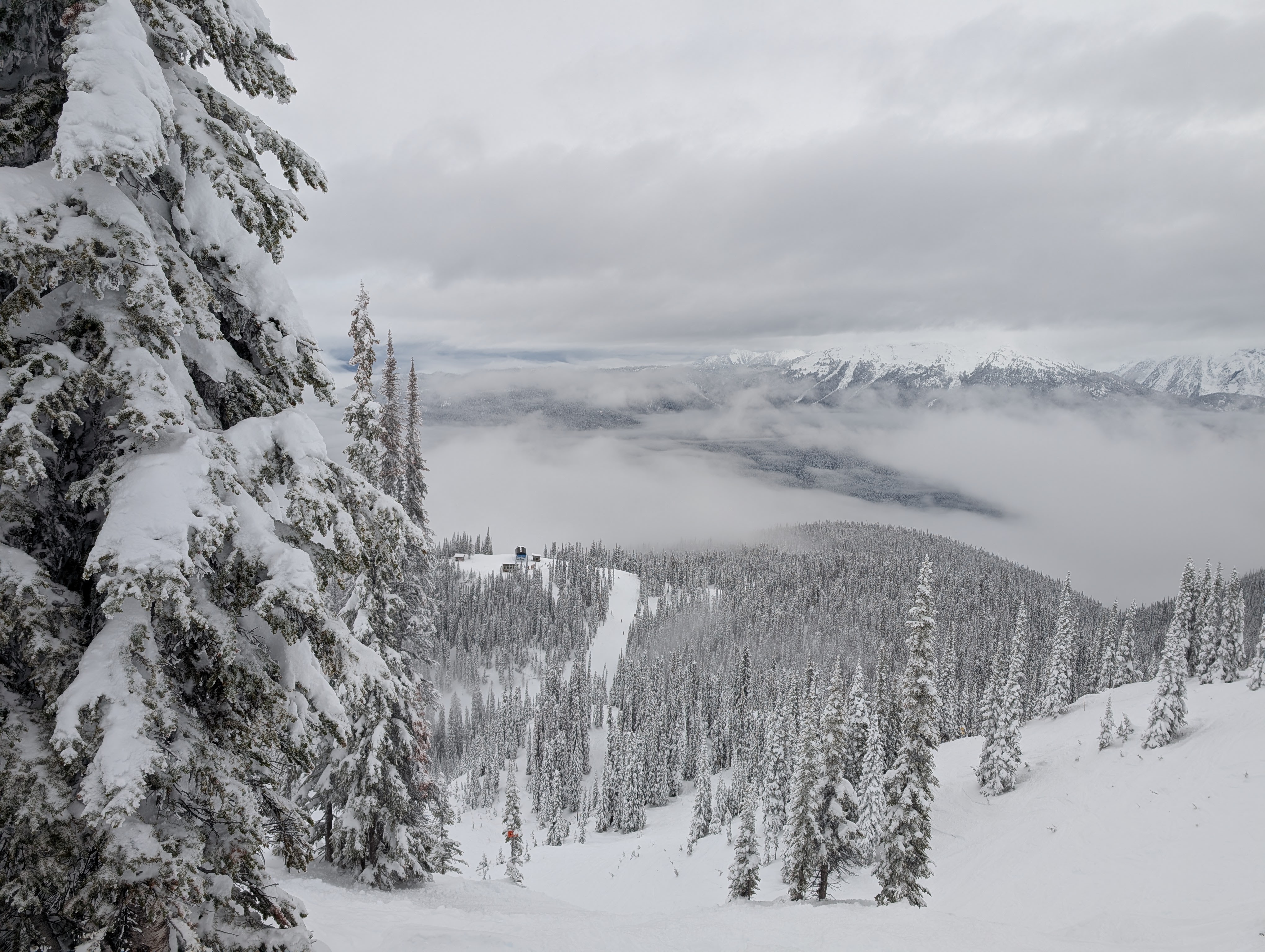
Overlooking Ripper chair from Lower North Bowl below Sweet Spot.
Somewhere.